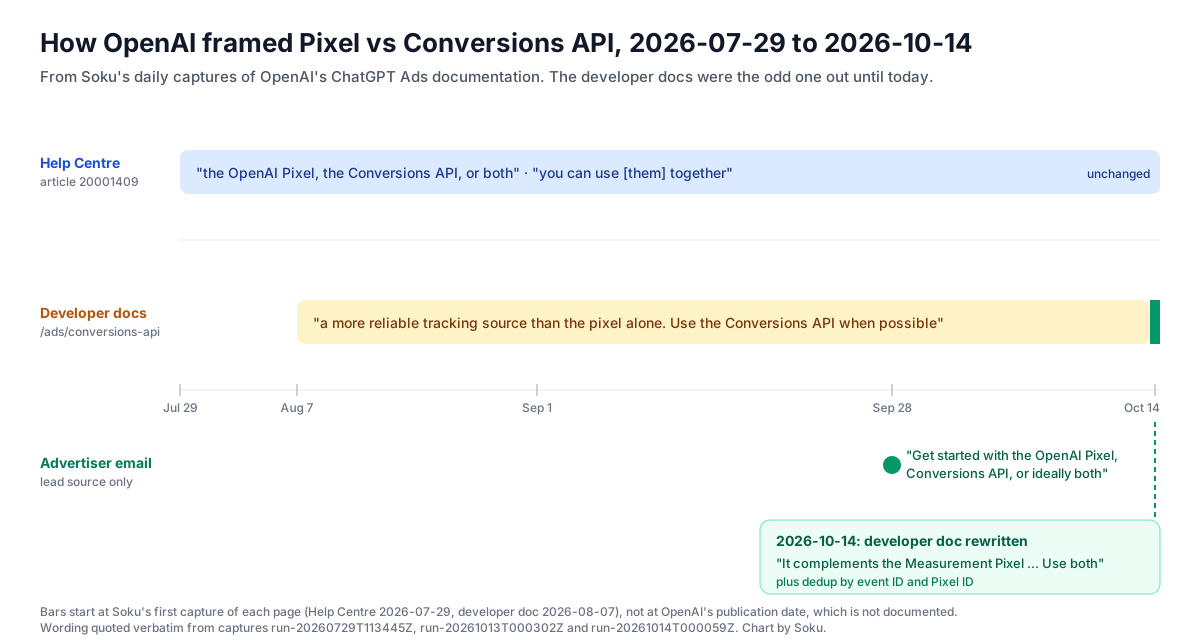
For most of its life, OpenAI's ChatGPT Ads Conversions API page opened with a one-line sales pitch for itself: the API was "a more reliable tracking source than the pixel alone." As of today that line is gone. The page now describes the Conversions API as something that complements the Measurement Pixel. It tells you to use both, and to deduplicate when they report the same conversion.
The rest of the page didn't change. The endpoint, batch rules, fields and deduplication key are the same as yesterday. What changed is the setup OpenAI recommends. That makes this a good moment for a full, practical guide to the ChatGPT Ads Conversions API: what it is, how to send events, and how to run it next to the Pixel without counting the same purchase twice.
Each section separates Verified (OpenAI docs), quoted or closely paraphrased from OpenAI, from Soku analysis, which is our interpretation. A dedicated section lists what OpenAI does not say.
Last verified: 2026-10-14. Built from Soku's daily capture of OpenAI's ChatGPT Ads documentation (run 20261014T000059Z compared with run 20261013T000302Z, 61 of 61 pages captured). The Conversions API and Measurement Pixel pages were also re-read live today. Today's 34 Help Centre diffs were all noise: "Updated" timestamps, rotating related articles, incident banners and login chrome. This rewrite was the only material change in the developer docs.
Several narrower topics already have their own posts, and this guide links to them rather than repeating them. For hashing rules, see identifier normalization and hashing. For amounts, see conversion value and item amounts. For the bigger measurement picture, see ChatGPT Ads attribution.
What changed on 2026-10-14
Verified (OpenAI docs): the old and new wording
Here is the opening of the Conversions API page as captured on 2026-10-13 (run 20261013T000302Z):
"The Conversions API is a more reliable tracking source than the pixel alone. Use the Conversions API when possible for more accurate insights."
And as captured on 2026-10-14 (run 20261014T000059Z), confirmed live today:
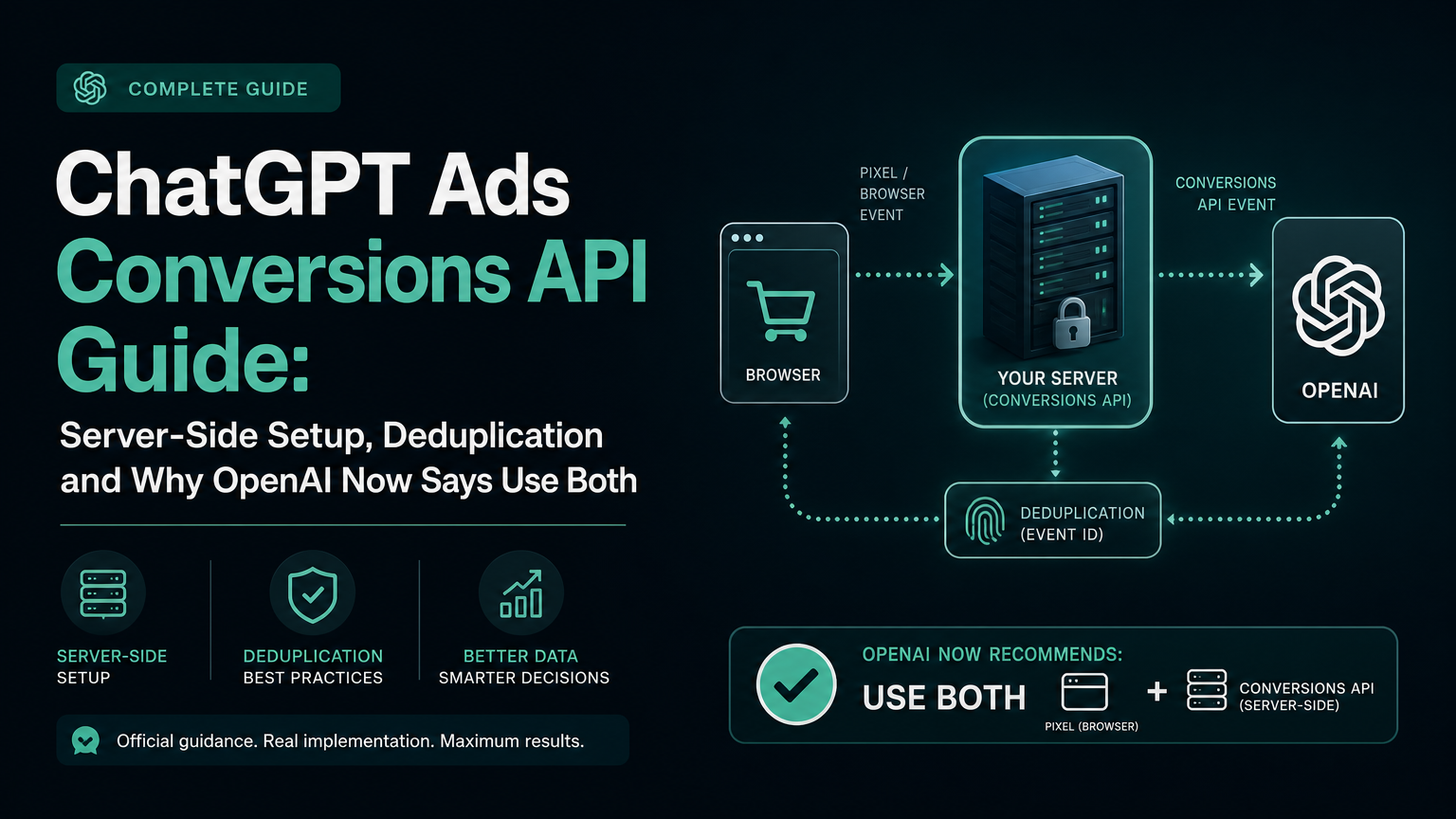
"Conversions API (CAPI) sends conversion events directly from your server to OpenAI—for example, when your backend confirms a purchase. It complements the Measurement Pixel, which sends events from a visitor's browser.
Use both to combine browser activity with confirmed backend conversions. CAPI helps you:
- Measure conversions without depending solely on browser event delivery. - Improve matching with supported customer identifiers. - Control event delivery and retries from your server.
When both integrations report the same conversion, deduplicate browser and server events using the same event ID and Pixel ID. Follow the attribution guidance below to forward available click and browser references. Start with a key conversion, such as a purchase, then follow the setup instructions."
Everything from the "Send events" heading down is byte-for-byte identical between the two captures. The old sentence had been on the page since our first capture of it on 2026-08-07. The llms.txt index did not change.
Verified: the Help Centre already said this
OpenAI's Help Centre article Conversion Measurement (20001409) didn't change today. It has said the same thing since our first capture on 2026-07-29:
"To measure conversions, create a data source in Ads Manager and send conversion events using the OpenAI Pixel, the Conversions API, or both."
"For more resilient measurement, you can use the OpenAI Pixel and Conversions API together. When the same conversion is sent through both methods, use the same event ID so OpenAI can deduplicate it."
Its "How to improve measurement quality" list also ends with "Use the Pixel and Conversions API together, with the same event ID for the same conversion." help.openai.com refused our live re-fetch, so these quotes come from the 2026-10-14 capture. That capture is identical (same SHA-256) to the 2026-10-13 one.
So the two surfaces now agree. Both recommend using the Pixel and the Conversions API together, with a shared event ID. The Help Centre has framed it this way all along. Today the developer doc caught up and dropped its "CAPI is better than the pixel alone" claim. One small difference remains. The Help Centre says to use the same event ID; the developer doc says to use the same event ID and Pixel ID. The developer doc is the more complete instruction.
There was an earlier signal too. On 2026-09-28, OpenAI emailed advertisers under the subject "Connect your ChatGPT Ads to business results" and said: "Get started with the OpenAI Pixel, Conversions API, or ideally both. Then use a conversion-optimized campaign so the system can learn from your conversion data." We treat the email as a lead, not a source. The developer doc is what you should cite.
Soku analysis: what the rewrite means
- CAPI is no longer pitched as a replacement. The old wording invited a "move everything server-side and drop the pixel" reading. The new wording rules that out: OpenAI's default setup is now both, with deduplication.
- The reasons are now specific. "More reliable" was a vague claim. The three new bullets are concrete: delivery that doesn't depend on the browser, matching with customer identifiers, and control over delivery and retries. Each one maps to a field or behaviour documented further down the page.
- Deduplication is now in the first paragraph. Before, it only appeared at the bottom of the page. Moving it up suggests OpenAI expects most CAPI users to also run the Pixel, so double counting is the failure to design against.
- "Start with a key conversion, such as a purchase" is advice about how much to build first. Get one event right on both paths before you mirror your whole funnel.
None of this changes how the API behaves. If your integration was correct yesterday, it is still correct today.
How the Conversions API works
Verified (OpenAI docs): endpoint, auth and request body
"Send events to the Conversions API from your server only." Requests are POSTs to:
curl -X POST "https://bzr.openai.com/v1/events?pid=<PIXEL-ID>" \
  -H "Authorization: Bearer <API-KEY>" \
  -H "Content-Type: application/json" \
  --data '{
    "validate_only": false,
    "events": []
}'| Value | Required | What OpenAI says |
|---|---|---|
pid | Yes | Your Pixel ID. |
validate_only | No | "Validates events without saving them when true." |
integration_source | No | "Stable identifier for the integration sending the batch." |
events | Yes | The events to send. |
The batch rule matters most in production: "The API accepts batches of up to 1,000 events. If one event in the batch fails, the full batch fails."
The Pixel page makes the same split from the other side. Its troubleshooting list says: "Always use the pixel on the browser. Do not call the server conversions API directly from page code."
Verified: getting a Pixel ID and API key
"You can provision a Pixel ID and Conversions API key from the conversions tab in Ads Manager." Approved API partners can create both with the Ads API key for a client account, using the conversion setup endpoints:
POST /conversions/pixelswithnameandclient_type: "web"returns anid(the conversion source) and apixel_id. Usepixel_idfor both the Pixel and CAPI. OpenAI says web pixels created this way automatically use automatic advanced matching.POST /conversions/api_keyswith anamereturns anapi_key. OpenAI says to store it "in a server-side secret manager. Never place it in browser code, client-visible environment variables, logs, or source control."POST /conversions/event_settingscreates the conversion definition: anevent_type,attribution_window_days(the reference says "Use30"), and exactly onesource_idsvalue.- If
/conversions/pixelsor/conversions/api_keysreturns404withNot found, OpenAI says pixel management and CAPI key creation aren't enabled for the account. Contact your OpenAI partner representative.
Verified: partner identification
If you send events for advertisers, include integration_source at the top level of every request, using the same stable value each time (OpenAI's examples are acme_measurement and example_analytics). The value must be 1 to 64 ASCII characters. It must start with a letter or digit and may contain only letters, digits, periods, underscores or hyphens. The API trims and lowercases it. OpenAI notes the field "does not affect authentication or authorization." For the named partners, see ChatGPT Ads measurement partners.
Soku analysis: the batch rule shapes your queue design
Because one bad event fails the whole batch, a 1,000-event batch is only as good as its worst event. Three practical consequences follow:
- Validate each event before batching. Check required fields, timestamp range and hash format in your own code. Don't rely on the API to reject the one bad event.
- Keep batches small when you are close to real time. The docs give a ceiling, not a recommended size. Small batches limit how many events one failure takes down.
- Retry with the same
id. OpenAI's field description says to "Reuse the same ID when retrying." A retry that generates a new ID creates a new event, not a retry.
Event structure and data
Verified (OpenAI docs): event fields
| Field | Required | What OpenAI says |
|---|---|---|
id | Yes | Non-empty string. "Reuse the same ID when retrying or sending the same conversion through another integration." |
type | Yes | One of appointment_scheduled, checkout_started, contents_viewed, custom, items_added, lead_created, order_created, page_viewed, registration_completed, subscription_created, trial_started, plus app_installed and app_opened for native app events. |
timestamp_ms | Yes | Integer Unix milliseconds, "within the last 7 days and no more than 10 minutes in the future." |
custom_event_name | Depends | Required when type is custom. 1 to 64 letters, digits, underscores or hyphens, starting and ending with a letter or digit. Can't match a standard event name. Lowercased by the API. |
oppref | No | "An opaque, OpenAI-provided attribution identifier. Pass the original string without modification." |
source_url | Depends | Required when action_source is web. Needs a scheme and host. |
action_source | Depends | web, mobile_app, offline, physical_store, phone_call, email or other. Must be mobile_app for app events. |
user | No | Optional matching fields (next section). |
opt_out | No | Opts the event out of future user-level personalization. OpenAI says it "does not currently use data collected via the Conversions API for user-level personalization." |
data | Yes | The conversion payload. data.type must match the event's shape. |
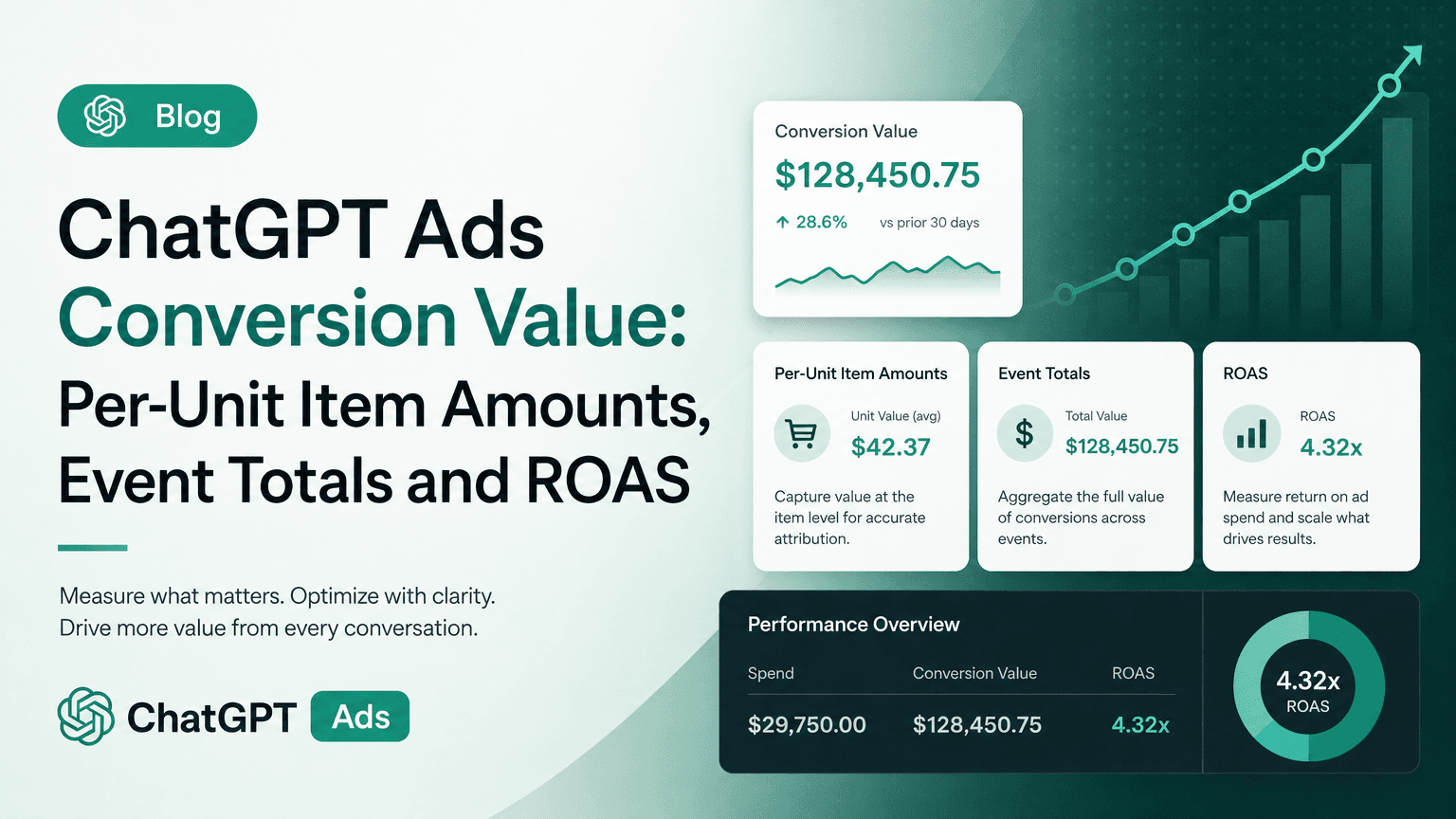
data.type is one of contents, customer_action, plan_enrollment or custom. data.amount is an integer in the currency's minor unit (4200 for $42.00), and currency is required whenever amount is present. contents[] items carry id, group_id, name, content_type, quantity, a per-unit amount, currency and variant_dict. plan_id is available for plan_enrollment and custom. Custom data fields are allowed only when data.type is custom. For how the item amount differs from the event amount, see ChatGPT Ads conversion value.
Verified: the user object
The user object is event-scoped: it goes inside each event, not at the request root. On the Pixel it is request-scoped, set once in oaiq("init"). Every field is optional:
- Hashed lists:
emails_sha256,phone_numbers_sha256,external_ids_sha256,first_names_sha256,last_names_sha256. - Raw geographic lists:
regions,postal_codes,cities,countries. - Raw single values:
ip_address,user_agent,obref, andandroid_advertising_id.
"For each list, the API uses the first three valid, unique values in the order provided." Extra values are ignored without rejecting the event.
Hashed values are SHA-256 over the UTF-8 normalized string, sent as 64 lowercase hex characters. Normalization differs by type. Emails are trimmed and lowercased. Phone numbers keep the country code with a leading + and leading zeroes removed. External IDs are trimmed but keep their case. Names are lowercased with whitespace and ASCII punctuation removed and accents kept. Our normalization post covers the edge cases. User objects for accurate matching covers why to send them.
Two fields exist only on the server side. android_advertising_id is "Available only through the Conversions API," supports Android GAID only ("IDFA is not supported"), and works with any action_source. ip_address and user_agent are also CAPI user fields with no Pixel user equivalent. The Pixel sends from the browser itself.
Verified: forwarding click and browser references
This is what the new intro means by "forward available click and browser references." There are two values to forward:
opprefis the click reference. The Help Centre says it is appended to the landing page URL, for example?oppref=gAAAAAb123. The Pixel captures it and stores it in the first-party__opprefcookie. "Unlike the pixel, the API does not captureoppreffor you. Capture the value yourself and pass it with the server event when it is available to support click matching." It goes at the event level.obrefis the browser reference. "For hybrid Pixel and Conversions API integrations, read the__obreffirst-party cookie in the browser, send it to your server, and include it unchanged asevents[].user.obrefwhen available." It goes insideuser, without hashing. OpenAI adds: "Before collecting or forwarding the cookie, follow your site's measurement consent requirements. If the user revokes consent, stop sending it."
How long those cookies live is covered in ChatGPT Ads Pixel cookie expiry: 30 days for __oppref and 365 days for __obref. If you add tracking parameters through redirects, check tracking parameter precedence so oppref survives.
Soku analysis: where teams lose oppref
The usual failure isn't the API call. It's the gap between the landing page and the moment your backend confirms a sale. A few patterns we would check:
- Store the click reference on the order. When a session reaches checkout, copy the
opprefvalue (from the URL or the__opprefcookie) and__obrefinto your checkout session or order record. Your backend then has them when the payment webhook fires minutes or hours later. - Redirect chains drop query strings. Payment providers, link shorteners and locale redirects often strip unknown parameters. The Help Centre's advice is to "Preserve the OpenAI click reference (oppref) through redirects and landing-page navigation."
- Respect consent on both paths. If the visitor declined measurement and the Pixel was set to
oaiq("consent", false), don't quietly forward their__obreffrom the server. OpenAI's text puts that decision on your consent requirements.
App lifecycle events
Verified (OpenAI docs)
"For app lifecycle events, use the Pixel ID from an existing web data source. Send app_installed and app_opened from your server with action_source set to mobile_app. Native mobile SDK setup and mobile data sources are not currently supported." These events use data.type: "customer_action". The Pixel page confirms the Measurement Pixel "does not support app_installed or app_opened."
OpenAI's attribution section adds that "App lifecycle events and mobile measurement integrations remain click-through-based," while web events can also get view-through reporting where it's available. For how view-through is reported, see ChatGPT Ads view-through conversions.
Soku analysis
For app advertisers, the Conversions API isn't optional. It's the only documented way to send installs and opens. Most will send them through a mobile measurement partner, which should identify itself with integration_source. The odd detail is that app events ride on a web data source's Pixel ID. Name that data source so your team doesn't delete it as an unused website pixel.
Deduplication: the rule, and a worked example
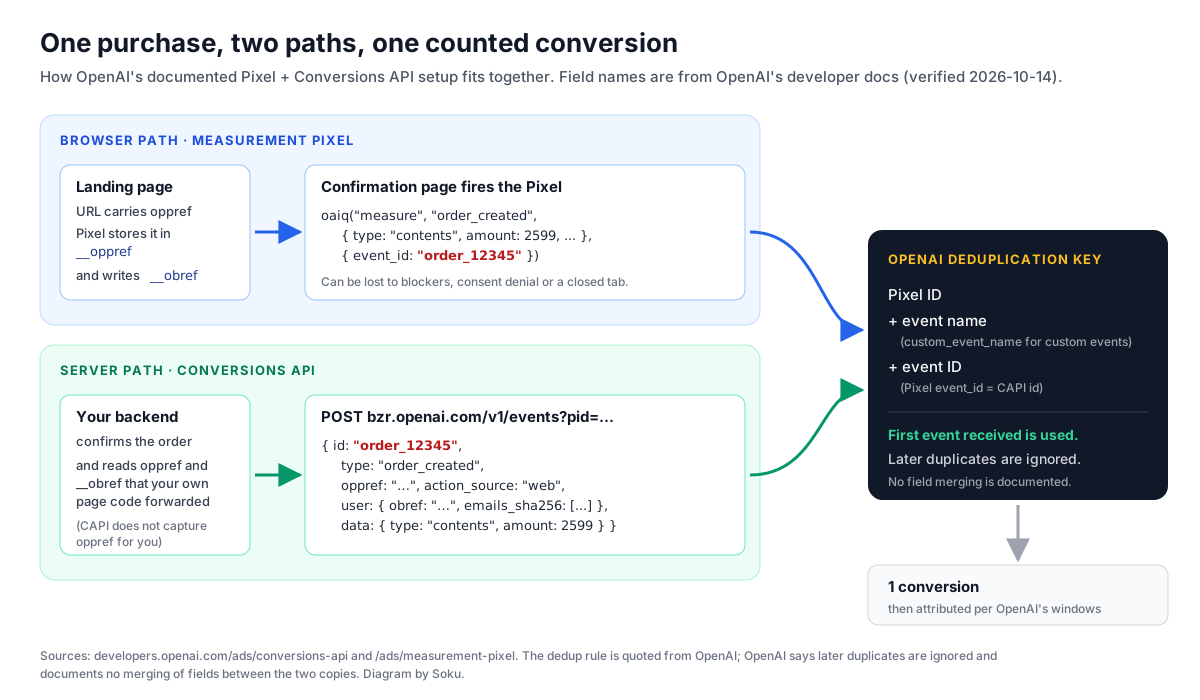
Verified (OpenAI docs): the dedup key
From the Conversions API page:
"If you send the same conversion from the pixel and the Conversions API, reuse the same value as the API
idand pixelevent_id. Send both events with the same Pixel ID. For custom events, use the samecustom_event_nameon both sides as well. For deduplication, OpenAI uses your Pixel ID,event_name, andid. OpenAI uses the first event it receives for a matching key and ignores later duplicates."
The Pixel page says the same thing in its own terms. Matching uses "your Pixel ID, the event name, and event_id," and "For custom events, custom_event_name replaces the standard event name in that match." It also says to "generate the event_id yourself and reuse it on the same pixel and server-sent event."
Worked example: one purchase, two matching payloads
Your backend generates the ID once, at order creation, and both paths use it. Here is the browser side, on the confirmation page:
oaiq(
  "measure",
  "order_created",
  {
    type: "contents",
    amount: 2599,
    currency: "USD",
    contents: [{ id: "sku_123", name: "Starter bundle", content_type: "product", quantity: 1 }],
  },
  { event_id: "order_12345" }
);
And the server side, sent when the payment is confirmed, to the same Pixel ID:
{
  "validate_only": false,
  "events": [
    {
      "id": "order_12345",
      "type": "order_created",
      "timestamp_ms": 1791979200000,
      "oppref": "<value captured from the landing page>",
      "source_url": "https://shop.example.com/checkout/confirmation",
      "action_source": "web",
      "user": {
        "obref": "<value of the __obref cookie>",
        "emails_sha256": ["b4c9a289323b21a01c3e940f150eb9b8c542587f1abfd8f0e1cc1ffc5e475514"],
        "ip_address": "203.0.113.1",
        "user_agent": "Mozilla/5.0"
      },
      "data": {
        "type": "contents",
        "amount": 2599,
        "currency": "USD",
        "contents": [{ "id": "sku_123", "name": "Starter bundle", "content_type": "product", "quantity": 1 }]
      }
    }
  ]
}
The timestamp_ms above is 2026-10-14 12:00 UTC; in real code, use the time of the conversion, because OpenAI rejects timestamps older than 7 days and one invalid event fails the whole batch. The three things that must match are the Pixel ID (pixelId in init, pid in the URL), the event name (order_created in both), and the ID (event_id equals id). For a custom event, both sides would use "custom" plus the same custom_event_name, such as quote_requested.
Soku analysis: three ways dedup quietly breaks
- Two different ID generators. The front end uses a cart UUID and the backend uses the order number. Both events are valid and both get counted. Use one source of truth, ideally the backend, and render it into the page.
- A different Pixel ID on one side. This happens with agencies and multi-brand sites running several pixels. The browser fires to pixel A while the server posts with
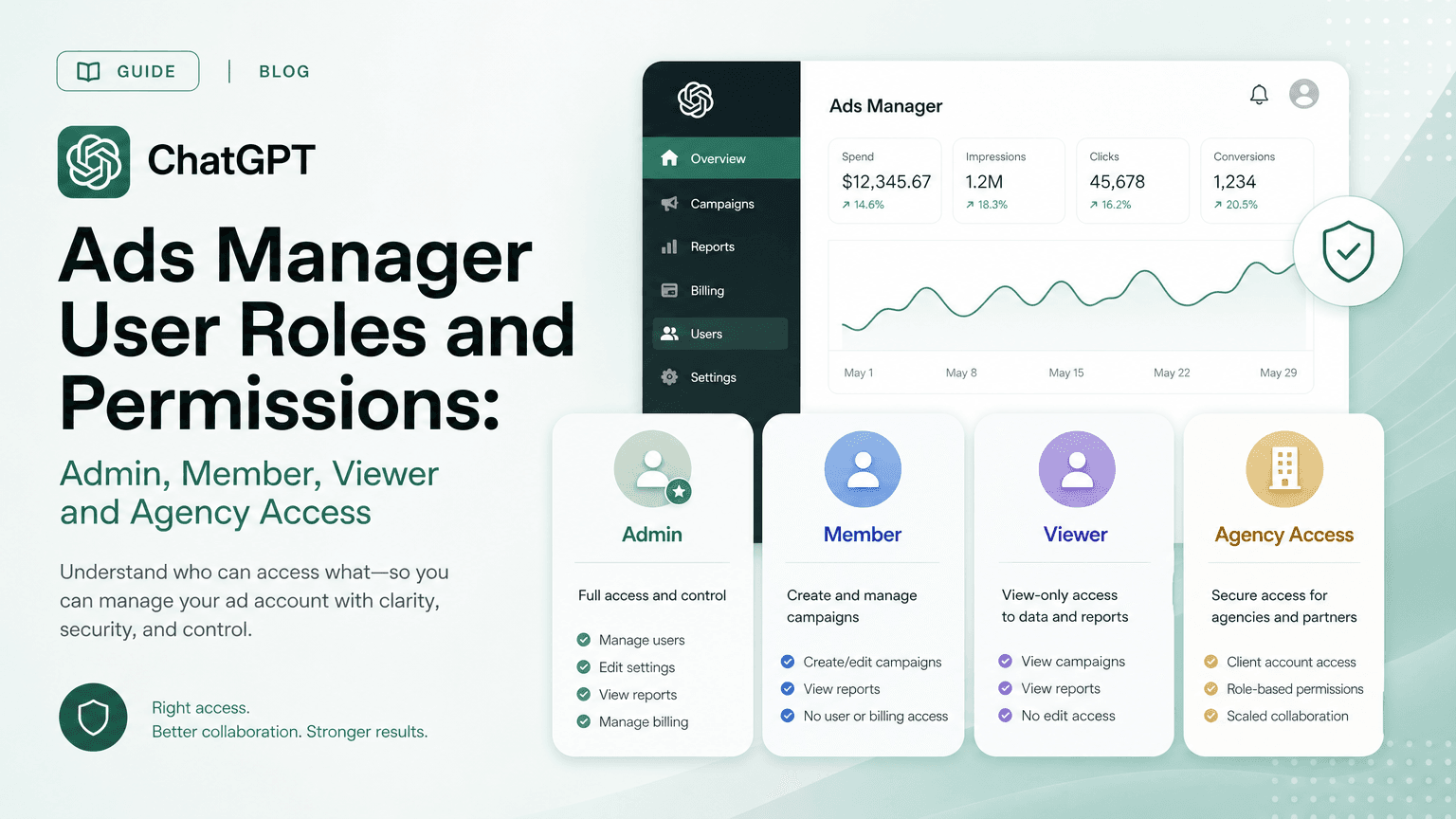
pidB. Those are different keys by definition. For pages that initialize more than one pixel, see howmeasureandmeasureSinglediffer in ChatGPT Ads Manager roles and permissions. - Expecting the richer event to win. OpenAI's rule is first received, not best. If the Pixel event arrives first without
opprefand your server event arrives second with it, OpenAI's text says the later one is ignored. OpenAI doesn't document whether any fields are merged. The safest assumption is that whichever copy arrives first must be complete enough on its own.

Pixel only, CAPI only, or both: a decision table
Soku analysis, built from OpenAI's documented capabilities
| Pixel only | CAPI only | Pixel + CAPI (OpenAI's stated default) | |
|---|---|---|---|
| Where events come from | Visitor's browser | Your server | Both, deduplicated |
| oppref click reference | Captured automatically from the landing URL | You capture and forward it | Pixel captures; you forward to the server too |
| Browser reference (obref) | Written to __obref automatically | Not available unless page code reads the cookie | Forward __obref to user.obref |
| Automatic advanced matching | Available (Pixel feature) | Not applicable; send hashed identifiers yourself | Both |
| Server-only identifiers | No | ip_address, user_agent, android_advertising_id | Yes, on the server copy |
app_installed / app_opened | Not supported | Supported (mobile_app) | Supported via CAPI |
| Offline, phone or store conversions | No | action_source values exist for them | Via CAPI |
| Delivery and retries | Depends on the browser | Under your control | Both |
| Testing aid | debug: true, GET /conversions/events stream | validate_only: true | Both |
| Engineering effort | Lowest | Backend work plus ID capture | Highest; needs shared IDs |
| Choose it when | You can't touch the backend yet | No usable browser surface, or app-only | You have a backend that confirms the conversion |
Our reading: "Pixel only" is a fine first step, and the Help Centre still allows it. "CAPI only" makes sense when there's no web page to tag, such as app installs or offline sales, but you lose the Pixel's automatic oppref capture and automatic advanced matching. For any site where your backend confirms the sale, OpenAI's guidance now points to both.
Pre-launch dedup test plan
Soku analysis, using only documented tools
OpenAI doesn't document a report that shows how many events were deduplicated. So the goal before launch is to prove the inputs line up. You can't observe the output directly.
- Pick one conversion. Follow OpenAI's own advice: "Start with a key conversion, such as a purchase." Confirm an event setting exists for it (
GET /conversions/event_settingsor the conversions tab). - Generate the ID on the server. Create the event ID when the order is created. Store it on the order and render it into the confirmation page for the Pixel's
event_id. - Validate the server payload. Send the CAPI event with
"validate_only": true. OpenAI says this "validates events without saving them." Fix anything it rejects, and remember that one bad event fails the batch. - Check the browser event. In staging, initialize the Pixel with
debug: trueand look at the console. If the account has it enabled, callGET /conversions/events?pid=<PIXEL-ID>. It returns "up to 50 conversion events received from the Pixel SDK during the previous 15 minutes." - Assert the three keys in code. Write a test that renders the confirmation page and builds the server payload for the same fixture order. Assert that the Pixel ID, event name (and
custom_event_name) and ID are equal on both. This is the only part of dedup you fully control. - Check what arrives first. Note which path fires first in your flow. If the browser usually wins, make sure the browser event has the same
amount,currencyandcontentsas the server event, because the later copy is ignored. - Go live on one event. Switch
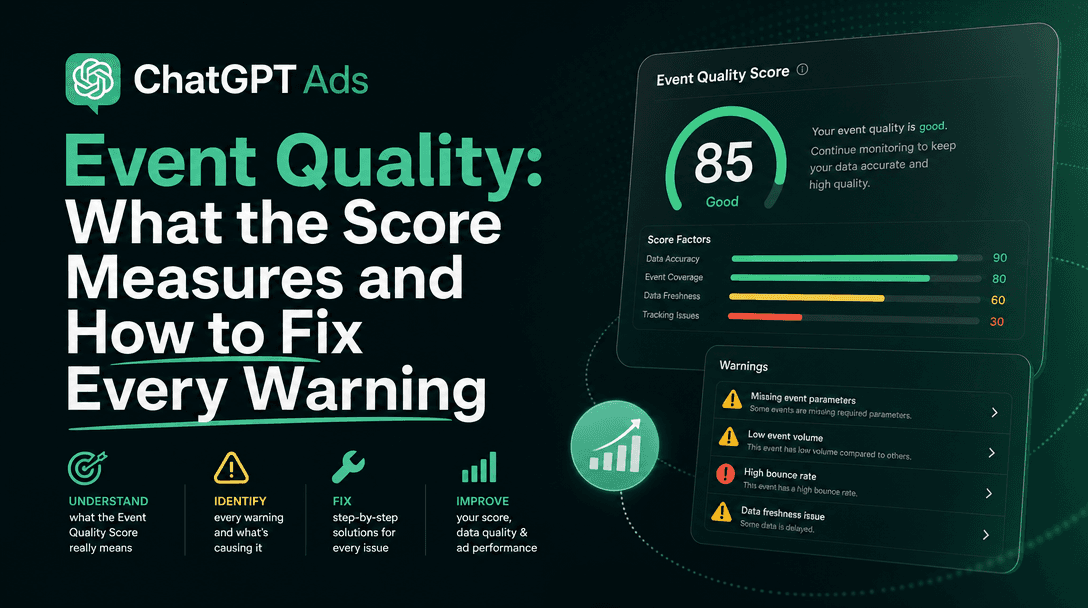
validate_onlytofalsefor that event only. Compare Ads Manager conversions for a few days against your order system. Keep in mind that attribution windows, modeled conversions and reporting time zones all affect the comparison (the Help Centre lists these). Then add the next event type. - Watch the diagnostics. Event Quality warnings point at the specific fields to fix. See ChatGPT Ads event quality.
In step 7, "conversions roughly double your orders" is a red flag for broken dedup. "Conversions well below orders" is expected, because not every order comes from a ChatGPT ad.
How this connects to conversion-optimized campaigns
Verified and analysis
The Conversions API page says conversion optimization "remain[s] click-through-based," along with CPA, post-click CVR, bidding and billing. The 2026-09-28 email tied the setup to conversion-optimized campaigns "so the system can learn from your conversion data." The developer docs don't make any quantitative claim about how much CAPI improves optimization, so neither do we. For how those campaigns bid and what you can't change after launch, see ChatGPT Ads conversion-optimized (oCPC) campaigns. For the browser-side matching layer, see automatic advanced matching.
What OpenAI does not say
As of 2026-10-14, neither the developer docs nor the Help Centre says:
- Why the wording changed. There's no changelog entry for the rewrite, and the old claim ("more reliable than the pixel alone") was removed without a replacement metric.
- How much better Pixel + CAPI performs than either one alone, in match rate, attributed conversions or CPA. No numbers are published.
- The response format for
validate_only, or the error format and codes when a batch fails. - Rate limits for
bzr.openai.com/v1/events, or a recommended batch size below the 1,000-event cap. - How long deduplication keys are remembered, or whether an event re-sent after a gap is still treated as a duplicate.
- Whether fields are merged between a Pixel event and its later CAPI duplicate. OpenAI only says later duplicates are ignored.
- What
event_namemeans on the CAPI side. The dedup sentence on the Conversions API page namesevent_name, but CAPI events have atypefield and noevent_namefield. The Pixel page's wording ("the event name," withcustom_event_namereplacing it for custom events) suggeststypeplays that role. OpenAI doesn't state it for CAPI. - A server-event equivalent of the event stream.
GET /conversions/eventscovers events "received from the Pixel SDK" only. - Whether a Conversions API key is tied to one Pixel ID. The setup reference says a key "can send server-side events for the current ad account."
- How offline, phone, store and email conversions are attributed without an
oppref. Theseaction_sourcevalues are accepted, but attribution guidance is written for web and app events. - iOS app measurement. IDFA isn't supported, and there's no native SDK.
How Soku fits
Soku captures OpenAI's ChatGPT Ads documentation every day, and this article comes from that capture. That's how a one-paragraph rewrite like today's gets noticed. The pattern OpenAI now recommends is the one we use for our own sign-up and purchase conversions. Our server-side conversion code builds a single deterministic event ID per conversion and reuses it for every ad-platform destination. A browser pixel firing the same event, or a retry, is then deduplicated rather than double counted. If you run ChatGPT Ads alongside Google and Meta, Soku keeps them in one workspace, and any change it proposes goes through your approval first.
Frequently Asked Questions
What is the ChatGPT Ads Conversions API?
It is OpenAI's server-to-server endpoint for conversion events. Per OpenAI's developer docs, the Conversions API (CAPI) 'sends conversion events directly from your server to OpenAI—for example, when your backend confirms a purchase.' You POST JSON batches to https://bzr.openai.com/v1/events, with your Pixel ID as the pid query parameter and a Conversions API key as the Bearer token. It complements the Measurement Pixel, which sends events from the visitor's browser.
Should I use the ChatGPT Ads Pixel, the Conversions API, or both?
OpenAI now says both. Since 2026-10-14 the Conversions API page reads: 'Use both to combine browser activity with confirmed backend conversions.' Until 2026-10-13 the same page said the Conversions API was 'a more reliable tracking source than the pixel alone' and to use it 'when possible'. The Help Centre has described the Pixel, the Conversions API, 'or both' since at least 2026-07-29.
How does ChatGPT Ads deduplicate Pixel and Conversions API events?
Send both copies with the same Pixel ID and reuse one value as the Pixel event_id and the API id. For custom events, use the same custom_event_name on both sides. OpenAI says it uses the Pixel ID, the event name and the ID as the key, uses the first event it receives for a matching key, and ignores later duplicates.
How many events can I send in one Conversions API request?
Up to 1,000 events per batch. OpenAI's docs say that if one event in the batch fails, the full batch fails. Each event's timestamp_ms must be within the last 7 days and no more than 10 minutes in the future.
Do I need to send oppref with Conversions API events?
It is optional but recommended when you have it. OpenAI says the API does not capture oppref for you, unlike the Pixel. Capture it yourself and pass the original string unchanged as the event-level oppref field to support click matching. For hybrid setups, also forward the Pixel's __obref cookie unchanged as user.obref, subject to your consent requirements.
Can I test Conversions API events without recording them?
Yes. Set validate_only to true in the request body and OpenAI validates the events without saving them. OpenAI does not document the validation response format. The conversion event stream endpoint (GET /conversions/events) only returns events received from the Pixel SDK, so it does not show your server events.
Can I send app installs to ChatGPT Ads?
Yes, through the Conversions API only. Use the Pixel ID from an existing web data source and send app_installed or app_opened from your server with action_source set to mobile_app and data.type set to customer_action. OpenAI says native mobile SDK setup and mobile data sources are not currently supported, and the Measurement Pixel does not support these two events.
Where do I get a Pixel ID and a Conversions API key?
From the conversions tab in Ads Manager. Approved API partners can use the Ads API key for a client account to create both with the conversion setup endpoints: POST /conversions/pixels returns a pixel_id, and POST /conversions/api_keys returns a key that OpenAI says to keep in a server-side secret manager.
Sources
- OpenAI developer docs, Conversions API (markdown: https://developers.openai.com/ads/conversions-api.md). Captured 2026-10-13 and 2026-10-14, re-read live 2026-10-14.
- OpenAI developer docs, Measurement Pixel. Re-read live 2026-10-14.
- OpenAI developer docs, Conversion Setup API reference. Re-read live 2026-10-14.
- OpenAI Help Centre, Conversion Measurement (20001409). Captured 2026-10-14; wording unchanged since 2026-07-29.
- OpenAI advertiser email, "Connect your ChatGPT Ads to business results", 2026-09-28 (lead source).